
 Contact
  Infocenter
  login
login  0 Product Products 0 Vare
 No products
0 Product(s) for a total of: 0,00 €

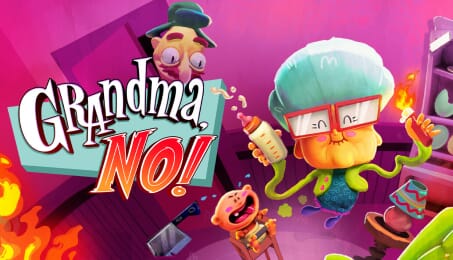
Grandma, No!

You’re Grandma. You’ve got a to-do list, a surprise babysitting gig, and absolutely no idea what's going on. That’s a dangerous combo.
Features:
Chores! Like taking out the trash. Or summoning... something
2D minigames that get real weird, real fast
Three areas full of things you probably shouldn’t touch
A bunch of bizarre characters who may or may not be human
Be a Grandma on the edge (of understanding what’s happening)
Babysitting?! Technically, yes. Is it going well? No.
In Grandma, No!, you’ll wobble through three sandbox-y areas, poke everything that looks pokeable, and try to get stuff done-until it explodes, runs away, or turns into a sentient sandwich. Each “simple” task turns into a ridiculous 2D minigame, followed by more wandering, more weirdness, and more characters who definitely need therapy.
Taking out the trash may lead you somewhere unexpected, and cooking dinner could end up with more fire than flavour. Just when things start to calm down, BOOM — something weirder crashes the party.
No big quests. No emotional arcs (well, maybe one). Just raw, chaotic Grandma energy.

How does it work? Will I receive Grandma, No! as a physical copy?
No, you will receive Grandma, No! product key (Grandma, No! CD Key), that you will receive by e-mail. Afterwards, you will need to use the Steam-platform to redeem your Grandma, No! product key (Grandma, No! CD Key), and you'll be ready to download, install and play Grandma, No!. You will receive a step-by-step guide on how to do this along with your purchase. It's easy as can be!
Step into Grandma’s slippers and wreak havoc in this physics-driven comedy where nothing stays under control—and that’s exactly the point. Fart, flop, and fumble your way through a home that refuses to behave.
No customer reviews for the moment.