
 Kontakta oss
  Infocenter
  Logga in
  0 Produkt Produkter 0 Vara
 Inga produkter
0 Produkt(er) för totalt: 0,00 €

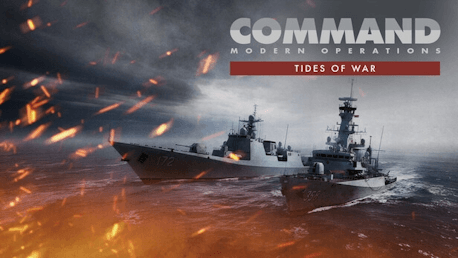
Command:MO - Tides of War (PC)

A Region on the Brink
The year is 2025. What began as a trade partnership has evolved into a militarily coordinated bloc as ASEAN responds to mounting pressure and coercive activity in disputed waters. Following the success of previous joint exercises, ASEAN launches ASEX-25, a bold, week-long demonstration of unity featuring land drills in Malaysia and major naval and air operations north of China’s 9-Dash Line.
Beijing views a unified, militarized ASEAN as a direct challenge to its regional ambitions. In response, China deploys its Maritime Militia and Coast Guard forces to harass and disrupt the exercise—triggering a dangerous escalation ladder that could ignite the entire theater.
You command ASEAN forces through this unfolding crisis.
Campaign Structure – Escalation by Design
Tides of War unfolds across six tightly focused scenarios, each covering up to 24 hours of operations and 1–2 primary objectives. The campaign traces a deliberate path from gray-zone coercion to full-scale conventional conflict:
ASEX-25: Non-kinetic confrontation as maritime militia vessels intrude into exercise zones. Issue warnings, conduct boardings, and use non-lethal force to maintain order.
Pay to Park: Militia flotillas anchor provocatively near the Paracels, drawing coast guard forces into tense standoffs.
Apocalypse No: Intelligence reveals a convoy reinforcing Chinese island bases with missiles and SAM systems. Submarine forces must intercept.
Paracel Strike: ASEAN launches precision strikes on militarized island facilities. Mainland air power responds.
One Vision, One Identity, One Community: A new Southern Theater commander seeks decisive retaliation, deploying a carrier group into contested waters.
The Battle of the South China Sea: Full-theater engagement as ASEAN’s combined air forces fight to preserve naval power and regional balance.
Continuous Loss System: Every Decision Matters
A defining feature of Tides of War is its Continuous Loss Script design:
Losses and damage carry forward between scenarios.
Attrition accumulates across the campaign.
Early caution, or recklessness, directly shapes the final battle.
The first five scenarios become a strategic balancing act: complete objectives while preserving combat power for the climactic confrontation. Survival, restraint, and force protection are just as important as aggression.
Design Philosophy
Unlike platform-focused showcase scenarios, Tides of War emphasizes:
Escalation management
Gray-zone and hybrid conflict
Submarine interdiction
Joint air–naval warfare
Theater-level force preservation
Each scenario serves as a focused operational study in crisis escalation, testing both tactical skill and long-term operational judgment.
©2019 Matrix Games Ltd. All Rights Reserved. Command: Modern Operations, Matrix Games Ltd. and their Logos are all trademarks of Matrix Games Ltd. All other marks and trademarks are the property of their respective owners.
Hur fungerar det? Får jag Command:MO - Tides of War som en fysisk kopia?
Nej, du får Command:MO - Tides of War produktnyckel (Command:MO - Tides of War CD Key), som du får via e-post. Sedan måste du använda Steam-plattformen för att lösa in dina Command:MO - Tides of War produktnyckel (Command:MO - Tides of War CD Key), och du är redo att ladda ner, installera och spela Command:MO - Tides of War. Du får en steg-för-steg guide om hur du gör detta tillsammans med ditt köp. Det är hur enkelt som helst!
Tides of War is a new six-scenario campaign that introduces a new continuous losses system for Command: Modern Operations, plunging players into a high-stakes confrontation in the South China Sea where diplomacy, deterrence, and escalation collide.
Inga kundomdömen för tillfället.