
 Kontakta oss
  Infocenter
  Logga in
  0 Produkt Produkter 0 Vara
 Inga produkter
0 Produkt(er) för totalt: 0,00 €

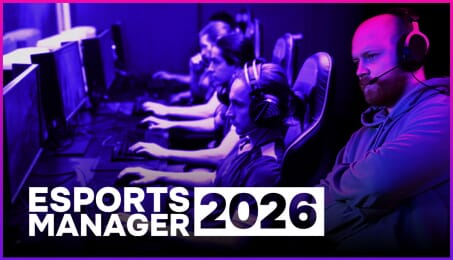
Esports Manager 2026 (PC)


Welcome to Esports Manager 2026, a strategy-simulation game where you take charge of a competitive esports organization from the inside out
Start from scratch or take over one of the existing teams. Navigate the complexities of player recruitment, team development, tournament schedules, and business operations. Whether you're optimizing training, making key transfer decisions, or managing the mental health and motivation of your roster, every move counts toward your legacy.
There’s no scripted campaign or forced ending—your journey continues as long as your manager stays active. Grow, adapt, and lead your team to the top.

Simulation ModeStep into the match yourself with the Simulation module—an immersive, highly detailed experience where you control tactics and react to dynamic in-game events in real time.
Real Organizations, Real PlayersChoose from a wide range of authentic teams and manage a roster filled with real professional players. Build your lineup your way.
Player Market and TransfersBuy, sell, and loan players to create the best roster for your goals. Market dynamics, contract negotiations, and timing all matter.
Player Development and MoraleDesign weekly training plans that target both skill growth and well-being. Use team-building, psychology sessions, and smart scheduling to shape high-performance athletes.
Tournaments and RankingsEnter your organization into a full calendar of events, from smaller competitions to major championships. Aim for the Grand Slam and leave your mark.
Leadership and Player InteractionGet to know your players. Understand their needs and motivations, and guide them through ups and downs both on and off the stage. Use the in-depth Talk module to communicate with players and staff, understand their needs, and leverage the result of the conversation into something truly unique and useful.
Build Your Support TeamRecruit and manage a full backroom staff: analysts, coaches, junior managers, media specialists, and more. Every role contributes to success.
Organization Growth and BrandingExpand your business, sign sponsorship deals, increase visibility, and grow your influence across the scene.
Realism and DepthInspired by the real-world challenges of esports management—balancing financial, psychological, legal, and organizational responsibilities with no hand-holding.
Play Your Way, Build Your Legacy
No story mode. No game over screen. Just you, your team, and the long road to becoming a legendary manager in the competitive esports world.

Hur fungerar det? Får jag Esports Manager 2026 som en fysisk kopia?
Nej, du får Esports Manager 2026 produktnyckel (Esports Manager 2026 CD Key), som du får via e-post. Sedan måste du använda Steam-plattformen för att lösa in dina Esports Manager 2026 produktnyckel (Esports Manager 2026 CD Key), och du är redo att ladda ner, installera och spela Esports Manager 2026. Du får en steg-för-steg guide om hur du gör detta tillsammans med ditt köp. Det är hur enkelt som helst!
Build and lead your own professional esports organization. Scout players, manage contracts, develop talent, hire staff, grow your brand, and compete for championship titles in a deep and realistic management simulation.
Inga kundomdömen för tillfället.