 Contact
  Infocenter
  login
login Requires the base game Farming Simulator 22 on Steam in order to use Farming Simulator 22 - Vermeer Pack.

 0 منتج المنتجات 0 Vare
 لا توجد منتجات
Your basket contains
0 Product(s) for a total of: 0.00 €
0 Product(s) for a total of: 0.00 €

تم أضافة المنتج بنجاح إلى سلة التسوق الخاصة بك
الكمية
الإجمالي
هناك 0 عناصر في عربتك. هناك منتج 1 في عربة تسوقك.
إجمالي المنتجات
إجمالي الشحن يجب تحديدها
الإجمالي
Farming Simulator 22 - Vermeer Pack (PC)
Farming Simulator 22 - Vermeer Pack (PC)

Farming Simulator 22 - Vermeer Pack CD key to be activated and downloaded via Steam. You will not be sent any physical items in the mail. You will receive a(n) Steam product key via e -mail.

Additional content!
FARMING SIMULATOR 22 - VERMEER PACK GAME DESCRIPTION
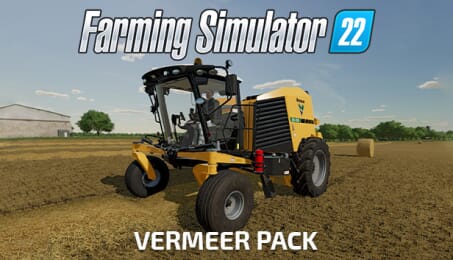
From the inventors of the round baler comes a set of powerful and innovative machines for Farming Simulator 22: In addition to the world’s first self-propelled baler, the Vermeer pack includes five efficient and unique machines from the international manufacturer from North America.
With the ZR5-1200 self-propelled baler by Vermeer, the first of its kind, you’ll produce bales as fast as possible, with great comfort and maneuverability - but without the necessity of a tractor. Zero-turn capability and high transport speed saves you a lot of time on and in between fields.
A trailed mower, a twin rake as well as a high-duty baler and a straw blower are also included in the Vermeer pack to round off the selection of sturdy machinery to make your grassland operation more efficient.
FREQUENTLY ASKED QUESTIONS
How does it work? Will I receive Farming Simulator 22 - Vermeer Pack as a physical copy?
No, you will receive Farming Simulator 22 - Vermeer Pack product key (Farming Simulator 22 - Vermeer Pack CD Key), that you will receive by e-mail. Afterwards, you will need to use the Steam-platform to redeem your Farming Simulator 22 - Vermeer Pack product key (Farming Simulator 22 - Vermeer Pack CD Key), and you'll be ready to download, install and play Farming Simulator 22 - Vermeer Pack. You will receive a step-by-step guide on how to do this along with your purchase. It's easy as can be!
From the inventors of the round baler comes a set of innovative machines for Farming Simulator 22: In addition to the world’s first self-propelled baler, the Vermeer pack includes five unique machines by the international manufacturer to make your grassland operation more efficient.
Genre Simulation Single-player Multi-player Co-op Online Co-op Cross-Platform Multiplayer Downloadable Content Steam Achievements Full controller support Steam Trading Cards Steam Cloud Remote Play on TV Family Sharing
Publisher Giants Software
PEGI-rating 
Udvikler Giants Software
Sprog Engelsk Fransk Italiensk Tysk Spanish - Spain Czech Dansk Hollandsk Finsk Hungarian Japansk Koreansk Polsk Portuguese - Portugal Portuguese - Brazil Romanian Russisk Simplified Chinese Svensk Traditional Chinese Turkish Norsk Spanish - Latin America
Release date 22-08-2022
System requirements Read moreNo customer reviews for the moment.