 Contact
  Infocenter
  login
login Requires the base game Resident Evil Revelations 2 Deluxe Edition on Steam in order to use RER2 Episode Four: Metamorphosis.

 0 商品 商品 0 Vare
 商品がありません
Your basket contains
0 Product(s) for a total of: 0,00 €
0 Product(s) for a total of: 0,00 €

カートに商品が追加されました。
数量
合計
カートに商品が 0 点入っています。 カートに商品が 1 点入っています。
小計
送料 後に決定されます
合計
RER2 Episode Four: Metamorphosis (PC)
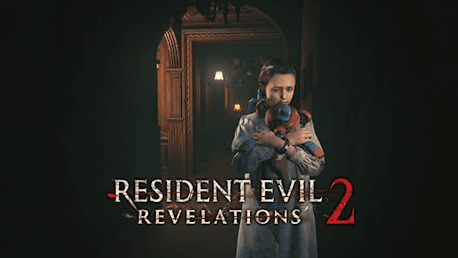
RER2 Episode Four: Metamorphosis (PC)

RER2 Episode Four: Metamorphosis CD key to be activated and downloaded via Steam. You will not be sent any physical items in the mail. You will receive a(n) Steam product key via e -mail.

Additional content!
RER2 EPISODE FOUR: METAMORPHOSIS GAME DESCRIPTION
Episode Four: Metamorphosis
Claire and Moira make for the tower's top floor and a final confrontation with the Overseer. Will they survive and escape the island?
Meanwhile, having learned of his daughter's fate, Barry prepares for the final confrontation, to keep Natalia from harm and have his revenge.
Two timelines collide in this nail-biting final chapter.
*Additional Raid Mode characters and stages included.
*Episode One required to play.
FREQUENTLY ASKED QUESTIONS
How does it work? Will I receive RER2 Episode Four: Metamorphosis as a physical copy?
No, you will receive RER2 Episode Four: Metamorphosis product key (RER2 Episode Four: Metamorphosis CD Key), that you will receive by e-mail. Afterwards, you will need to use the Steam-platform to redeem your RER2 Episode Four: Metamorphosis product key (RER2 Episode Four: Metamorphosis CD Key), and you'll be ready to download, install and play RER2 Episode Four: Metamorphosis. You will receive a step-by-step guide on how to do this along with your purchase. It's easy as can be!
Episode Four: Metamorphosis - Includes Claire and Barry campaign, and Raid Mode. *Additional Raid Mode characters and stages included.
Genre Action Adventure Single-player Multi-player Co-op Downloadable Content Steam Achievements Full controller support Steam Trading Cards Steam Cloud Steam Leaderboards Family Sharing
Publisher Capcom
Udvikler Capcom
Platform PC
Sprog Engelsk Fransk Italiensk Tysk Spanish - Spain Japansk Koreansk Polsk Portuguese - Brazil Russisk Traditional Chinese
Release date 17-03-2015
System requirements PCMinimum:
- OS *: Windows® 8.1 / Windows® 10
Recommended:
- OS *: Windows® 8.1 / Windows® 10
No customer reviews for the moment.