
 Contact
  Infocenter
  login
login  0 商品 商品 0 Vare
 商品がありません
0 Product(s) for a total of: 0,00 €

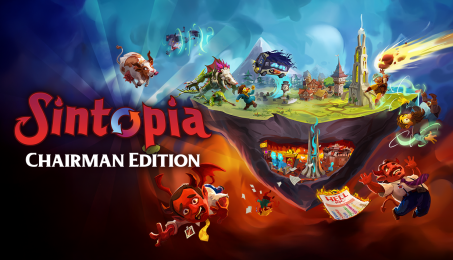
Sintopia Chairman Edition (PC)

Sintopia Chairman Edition
Every good administrator deserves the proper resources. The Sintopia Chaiman Edition grants you access to the official soundtrack of 31 fiendishly fun songs, and a digital artbook featuring concept art, character designs, and environments art from underworld and overworld alike.
The Sintopia Chairman Edition includes:
- Sintopia Main Game
- Sintopia Official Soundtrack
- Sintopia Digital Artbook
Hell is full. Bureaucracy is eternal. And you’re in charge. Sintopia is a darkly comedic strategy and management sim where you run the underworld’s most dysfunctional punishment facility. As a freshly promoted middle manager of Hell Incorporated, your job is simple: “re-educate” sinners, resurrect the worthy, and turn eternal damnation into an optimized business machine.
Build sin processing facilities, perfect their automation, manage hellish “imployees,” and maintain a thriving Overworld… or show the Humus who’s really in charge by flexing your divine power. Shape your underworld empire across multiple layers of Hell and decide what kind of deity you want to be… merciful, efficient, or deliciously petty.
Key Features:

Build a devilishly efficient underworld to process the endless stream of sinful souls arriving from above. Punish souls to turn a profit and expand your capabilities or divine influence. Hire eclectic imployees to keep the paperwork flowing… just make sure they’re paid on time.

Uphold a thriving Overworld to maintain the cycle of resurrection. As Hell’s administrator, you can use your divine powers to “motivate” the living to do your bidding. Nothing like a bolt of lightning or a spontaneous inferno to spur the Humus population into action.
Souls accumulate sins across their many lifetimes. Keep an eye on these levels and build specialized purification centres to stop corruption from spiralling out of control. Otherwise, you may have a monstrous demon on your hands or even worse, a devastating hit to your efficiency… truly diabolical.

Office politics has never been so dangerous! Enact biblical-level corporate intrigues in the story-based campaign mode. Test your organizational mettle in Challenge Mode. Perfect the art of Hell building or slack-off for the day in the fully customizable Sandbox Mode.

How does it work? Will I receive Sintopia Chairman Edition as a physical copy?
No, you will receive Sintopia Chairman Edition product key (Sintopia Chairman Edition CD Key), that you will receive by e-mail. Afterwards, you will need to use the Steam-platform to redeem your Sintopia Chairman Edition product key (Sintopia Chairman Edition CD Key), and you'll be ready to download, install and play Sintopia Chairman Edition. You will receive a step-by-step guide on how to do this along with your purchase. It's easy as can be!
Manage Hell. Manipulate the Overworld. Build the resurrection business of your dreams! In Sintopia, you’re tasked with managing the bureaucratic administration of Hell: “re-educate” the sinful, generate profit, play god and expand your hellish empire. All part of a day’s work at Hell Incorporated.
No customer reviews for the moment.