
 Contact
  Infocenter
  login
login  0 Product Products 0 Vare
 No products
Your basket contains
0 Product(s) for a total of: 0,00 €
0 Product(s) for a total of: 0,00 €

Product successfully added to your shopping cart
Quantity
Total
There are 0 items in your cart. There is 1 item in your cart.
Total products
Total shipping To be determined
Total
LEGO® Batman™: Legacy of the Dark Knight (PC)
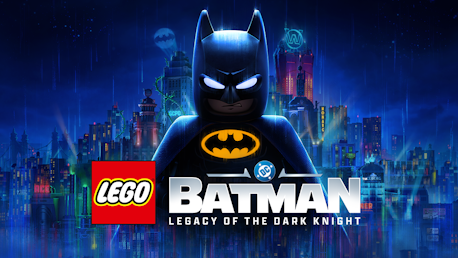
LEGO® Batman™: Legacy of the Dark Knight (PC)
This game is on sale; sale ends in:

LEGO® Batman™: Legacy of the Dark Knight CD key to be activated and downloaded via Steam. You will not be sent any physical items in the mail. You will receive a(n) Steam product key via e -mail.
LEGO® BATMAN™: LEGACY OF THE DARK KNIGHT GAME DESCRIPTION
Full base game includes:
- Main Story
- Bruce Wayne’s journey from origin to legend as he trains with The League of Shadows, becomes the hero of Gotham City, and forges a new family of allies with Jim Gordon, Catwoman, Robin, Nightwing, and Batgirl. Confront an ever-growing threat from across Batman’s Rogues Gallery as you face The Joker, The Penguin, Mr. Freeze, Poison Ivy, Bane, and more.
- 7 Playable Characters
- Batman, Jim Gordon, Robin, Nightwing, Batgirl, Catwoman, and Talia al Ghul each bring unique skills and signature gadgets as you uncover crimes, complete challenges, and explore an immersive Gotham City full of secrets and surprises.
- 100 Suits
- Inspired by Batman’s 86-year legacy, you’ll find an array of Batsuits alongside individual outfits for every playable character.
- 20+ Vehicles
- A range of Batmobiles and Batcycles to drive around Gotham City's open world in style. Including iconic rides like the legendary Tumbler.
- 250+ Batcave Props & Trophies
- Customize and display a wide range of items to personalize your Batcave and celebrate your achievements.
Are you ready to build the legacy of the Dark Knight?

LEGO® BATMAN™: LEGACY OF THE DARK KNIGHT © 2025 TT Games Ltd. Produced by TT Games under license from the LEGO Group. LEGO, the LEGO logo, the Brick, and the Knob configurations and the Minifigure are trademarks and/or copyrights of the LEGO Group. © 2025. DC LOGO, BATMAN, and all related characters and elements © and ™ DC (s25).
FREQUENTLY ASKED QUESTIONS
How does it work? Will I receive LEGO® Batman™: Legacy of the Dark Knight as a physical copy?
No, you will receive LEGO® Batman™: Legacy of the Dark Knight product key (LEGO® Batman™: Legacy of the Dark Knight CD Key), that you will receive by e-mail. Afterwards, you will need to use the Steam-platform to redeem your LEGO® Batman™: Legacy of the Dark Knight product key (LEGO® Batman™: Legacy of the Dark Knight CD Key), and you'll be ready to download, install and play LEGO® Batman™: Legacy of the Dark Knight. You will receive a step-by-step guide on how to do this along with your purchase. It's easy as can be!
Become the Dark Knight and battle Gotham City’s most infamous DC Super-Villains in an open-world action-adventure from TT Games, the award-winning studio behind LEGO® Star Wars™: The Skywalker Saga.
Expansion packs 
LEGO® Batman™: Legacy of the Dark Knight Deluxe Edition Upgrade
Udvikler TT Games
Platform PC
Sprog Engelsk Fransk Italiensk Tysk Spanish - Spain Arabic Dansk Hollandsk Japansk Koreansk Polsk Portuguese - Brazil Russisk Simplified Chinese Spanish - Latin America Traditional Chinese
Release date 22-05-2026
System requirements Read moreNo customer reviews for the moment.