
 Contact
  Infocenter
  login
login  0 Product Products 0 Vare
 No products
0 Product(s) for a total of: 0,00 €

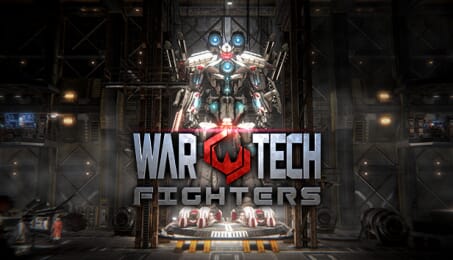
War Tech Fighters (PC)

"Featured in The 10 Best Mech Games for PC" - Gamers Decide
Travelling across the galaxy, the rebel colonies of Hebos and Ares join forces to battle against the Zatros empire with the deadliest weapons ever built – War Techs. Taking space combat to a whole new level, War Techs are giant mechs that combine cold precision and state of the art technology in the battlefields of space.
War Tech Fighters is a space action game that combines the spectacular action of Japanese Anime with Hollywood Blockbusters. Configure, upgrade and customize your War Tech and dive into battle to fight back the Zatronian forces and save your galaxy!
Key Feature -
- Fully Equipped War Tech - Destroy your enemies in long-range combat with guns and missiles, or get up close and personal with swords and shields.
- Dual camera view - play and fight in Third or First person.
- Customization - Hundreds and thousands of combinations of mech parts, weapons, and colours to truly stand out on the battlefield.
- Perks - Tailor your fighting style with perks included in swords and shields
- Upgrades - Three base robot sets, each with specific bonuses, and over 180 upgradable robot parts.
- Research & Development - Research new upgrade projects to enhance your War Tech, and develop weapons ranging from missile launchers to anti-matter cannons.
- Level Up - Gain experience through combat to level up your War Tech pilot to gain improved attack and defence bonuses.
- Unlockable Special Projects - Explore space and collect hidden project parts to gain access to new War Tech sets, new swords, new shields and research projects.
- Intense Single Player Missions - Experience the first 33 missions of Captain Nathan Romanis’ battle across the galaxy.
- Simulator Bridge - Train your War Tech by replaying missions, or take on special Challenges to gain experience and add-ons to improve your machine.
- Survival Mode - Test yourself to the limit in three deadly infinite survival arenas, and walk away with special rewards. Compete with other players trying to reach the top in a global leaderboard.
This game supports XInput compatible controllers (eg. XBOne, X360)

How does it work? Will I receive War Tech Fighters as a physical copy?
No, you will receive War Tech Fighters product key (War Tech Fighters CD Key), that you will receive by e-mail. Afterwards, you will need to use the Steam-platform to redeem your War Tech Fighters product key (War Tech Fighters CD Key), and you'll be ready to download, install and play War Tech Fighters. You will receive a step-by-step guide on how to do this along with your purchase. It's easy as can be!
War Tech Fighters - the space action game that combines the spectacular action of Japanese Anime with Hollywood Blockbusters. Configure, upgrade and customize your War Tech and dive into battle to fight back the Zatronian forces and save your galaxy!
No customer reviews for the moment.