
 Contact
  Infocenter
  login
login  0 Produkt Produkty 0 Vare
 Brak produktów
0 Product(s) for a total of: 0,00 €

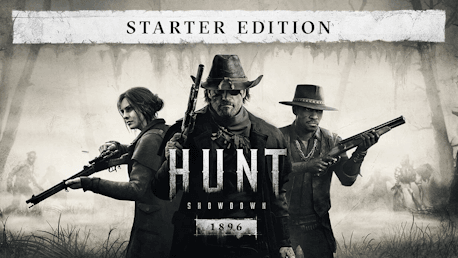
Hunt: Showdown 1896 - Starter Edition (PC)

Items included in this package:
- Hunt: Showdown 1896
- Hunt: Showdown 1896 - Legends of the Bayou
- Hunt: Showdown 1896 - The Prodigal Daughter
- Hunt: Showdown 1896 - The Trick Shooter
Hunt: Showdown 1896
Hunt: Showdown 1896 is a new era of the addictively unforgiving extraction shooter. In corrupted backwaters lost to history, fight back alone – or with friends – against timeless evil. Twisted monsters and other ruthless Hunters stand between you and your Bounty. Risk everything as Hunt consumes you
Hunt: Showdown 1896 - Legends of the Bayou
This DLC contains two Hunters, one Weapon, and one Tool:
- The Bone Doctor (Hunter)
- Weird Sister (Hunter)
- Copperhead (Nagant M1895)
- Blood Oath (Knife)
Hunt: Showdown 1896 - The Prodigal Daughter
This DLC contains one Hunter and two Weapons:
- The Prodigal Daughter (Hunter)
- The Reckoning (Sparks)
- The Harbinger (Pax)
Hunt: Showdown 1896 - The Trick Shooter
This DLC contains one Hunter and two Weapons:
- Carter (Hunter)
- Bear's Leg (Vandal 73C Bullseye)
- Carter's Quickshot (Specter 1882 Shorty)


How does it work? Will I receive Hunt: Showdown 1896 - Starter Edition as a physical copy?
No, you will receive Hunt: Showdown 1896 - Starter Edition product key (Hunt: Showdown 1896 - Starter Edition CD Key), that you will receive by e-mail. Afterwards, you will need to use the Steam-platform to redeem your Hunt: Showdown 1896 - Starter Edition product key (Hunt: Showdown 1896 - Starter Edition CD Key), and you'll be ready to download, install and play Hunt: Showdown 1896 - Starter Edition. You will receive a step-by-step guide on how to do this along with your purchase. It's easy as can be!

No customer reviews for the moment.